
This chapter contains general information on configuring the evoVIU camera's metadata.
Introduction
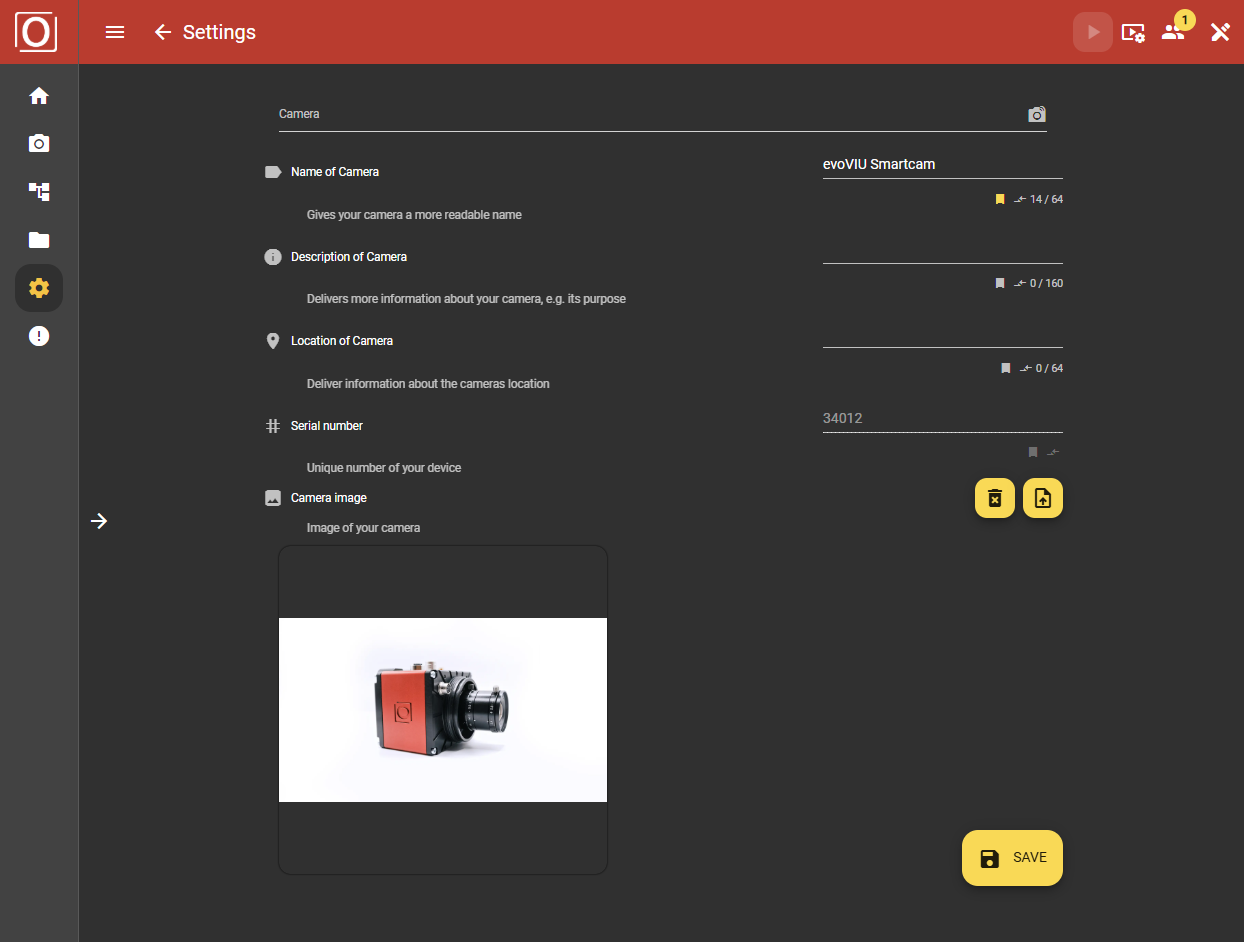
You will find the Camera section in the Settings. On this page, you can make individual settings for your camera so that you can distinguish it more easily from other devices. Individual settings can be made here, from assigning a specific name to descriptions and even an image.
Configuration
Name of Camera
Give your camera a name here or change it.
Description of Camera
Add a description to your camera and make sure that you know exactly which camera it is.
Location of Camera
Enter the exact location of your camera. On the right, you can upload a photo of your camera or the object you are viewing. If you have several cameras, you can see exactly which one it is. You also have the option of retrieving this information at any time via the API.
Camera image
The camera image is designed to help you create a quick recognition value for your camera.
Adding a camera image
Use the yellow button on the far right with the upload icon to add a camera image. Make sure you use a common, permitted file format. You can change your camera image at any time.
Removing a camera image
You can remove the uploaded image using the yellow button with the black garbage can icon.