
Compare Images
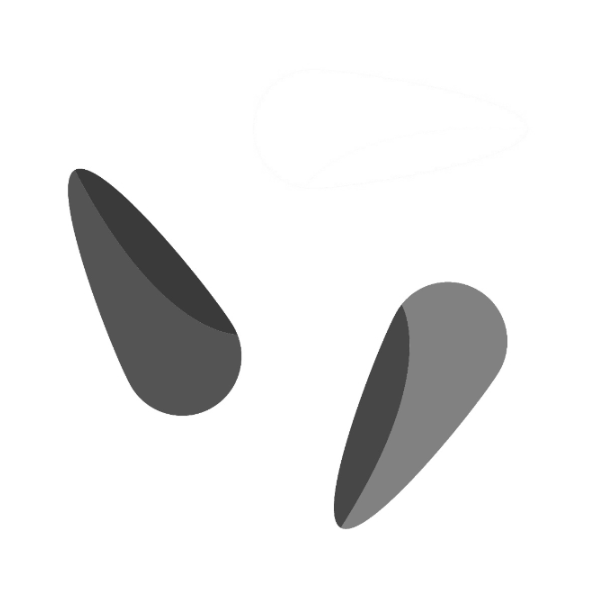
Compares two images and highlights differences – differences appear dark, similarities appear brighter.
Flow
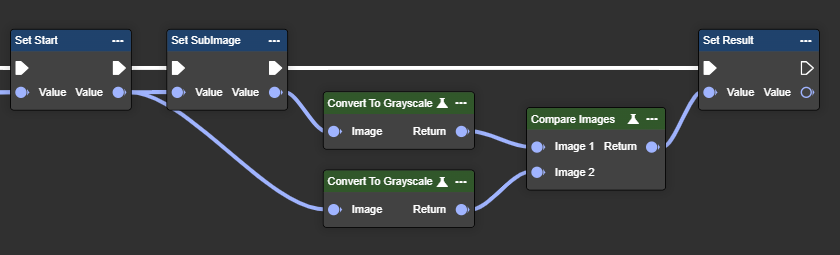
Parameter set
|
Parameter |
Type |
Description |
Value range |
Effect Color |
Effect Mono |
|---|---|---|---|---|---|
|
Image 1 |
Image |
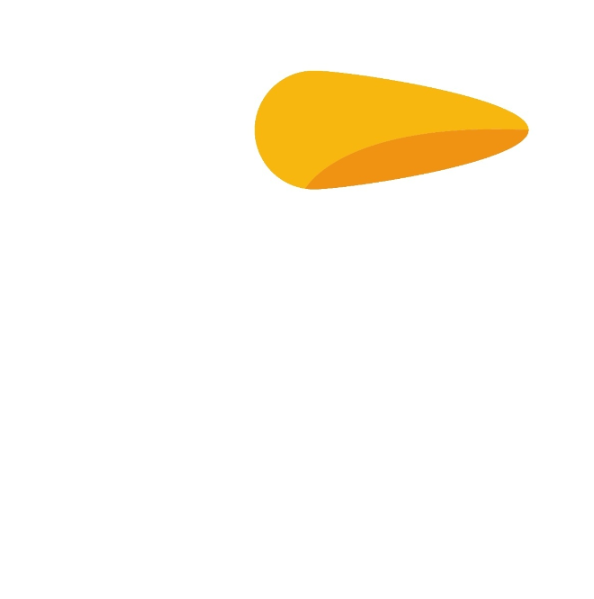
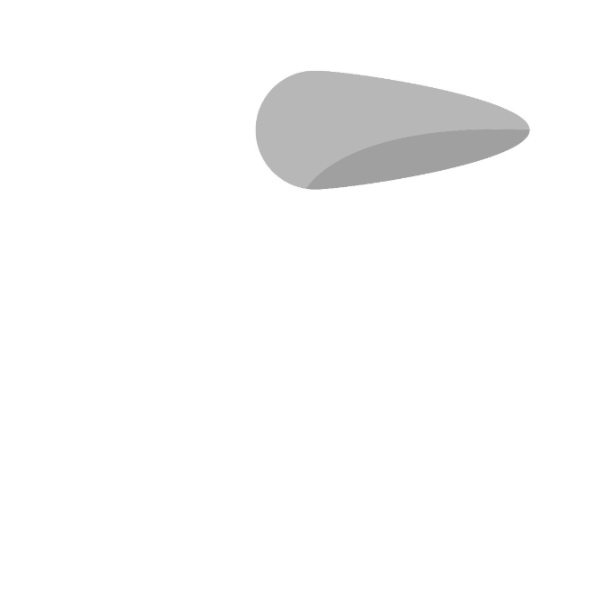
A grayscale image is required. You can use the "To Grayscale (Image)" node. No color image possible. |
|
Unbekannter Anhang
|
Unbekannter Anhang
|
|
Image 2 |
Image |
A grayscale image is required. You can use the "To Grayscale (Image)" node. No color image possible. |
|
|
|
|
Return |
Image |
The return value is also a grayscale image. |
|
No result possible. |
|
Convert to Grayscale
Converts an RGB image to grayscale based on brightness, simplifying color-independent image processing.
Flow
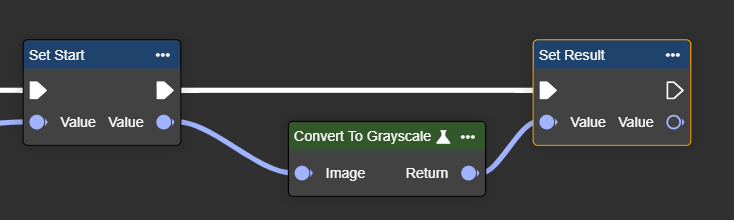
Parameter set
|
Parameter |
Type |
Description |
Effect |
|---|---|---|---|
|
Image |
Image |
Color image to be converted to grayscale. |
Unbekannter Anhang
|
|
Return |
Image |
Converted grayscale image. |
Unbekannter Anhang |
Crop By Coordinates
Crops an image by coordinates – defined by the top left and bottom right corners, extracting the desired area.
Flow
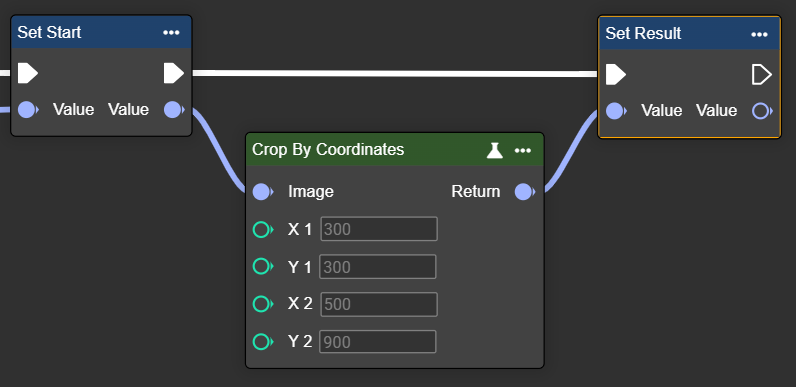
Parameter set
|
Parameter |
Type |
Description |
Value range |
Effect Min |
Effect Max |
|---|---|---|---|---|---|
|
Image |
Image |
A grayscale or color image is possible. You can use the "Convert To Grayscale" node. |
|
Unbekannter Anhang
|
|
|
X1
|
Int32 |
Coordinates in the image. |
|
X1: 300 X2: 900
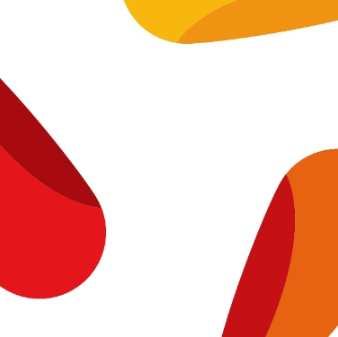
|
X1: 300 X2: 500
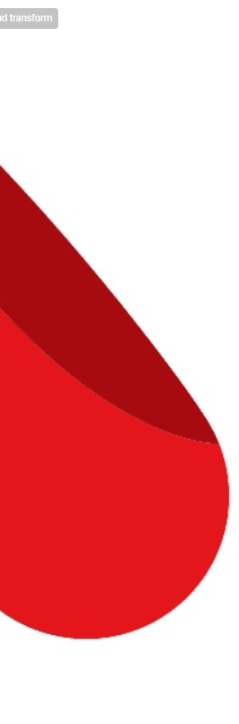
|
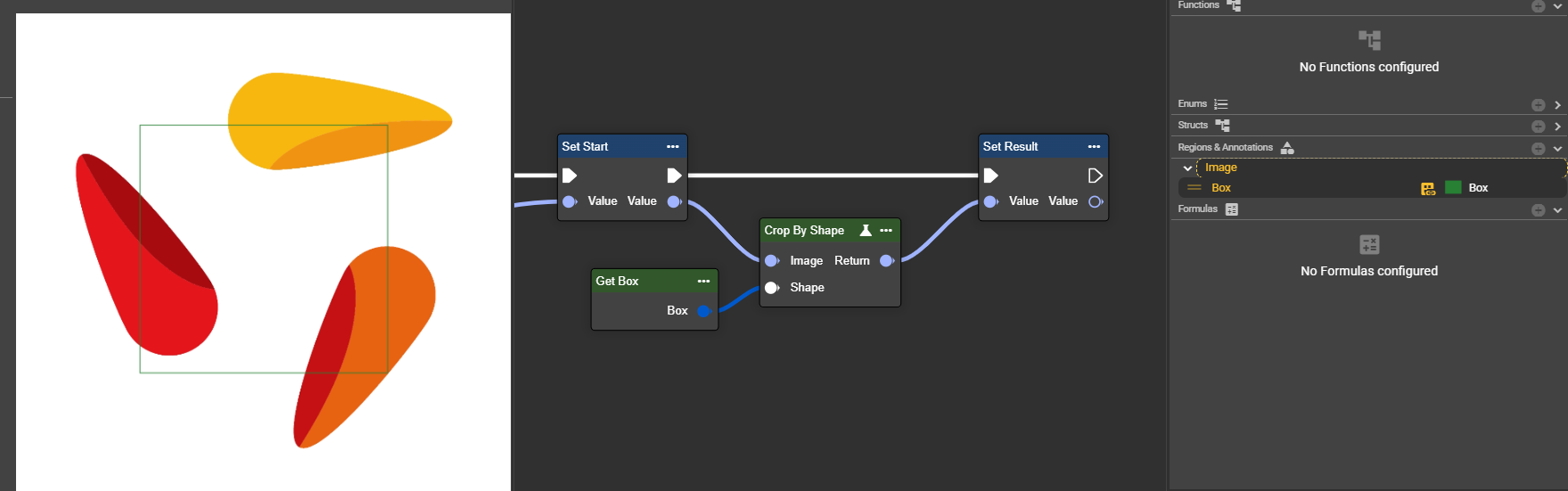
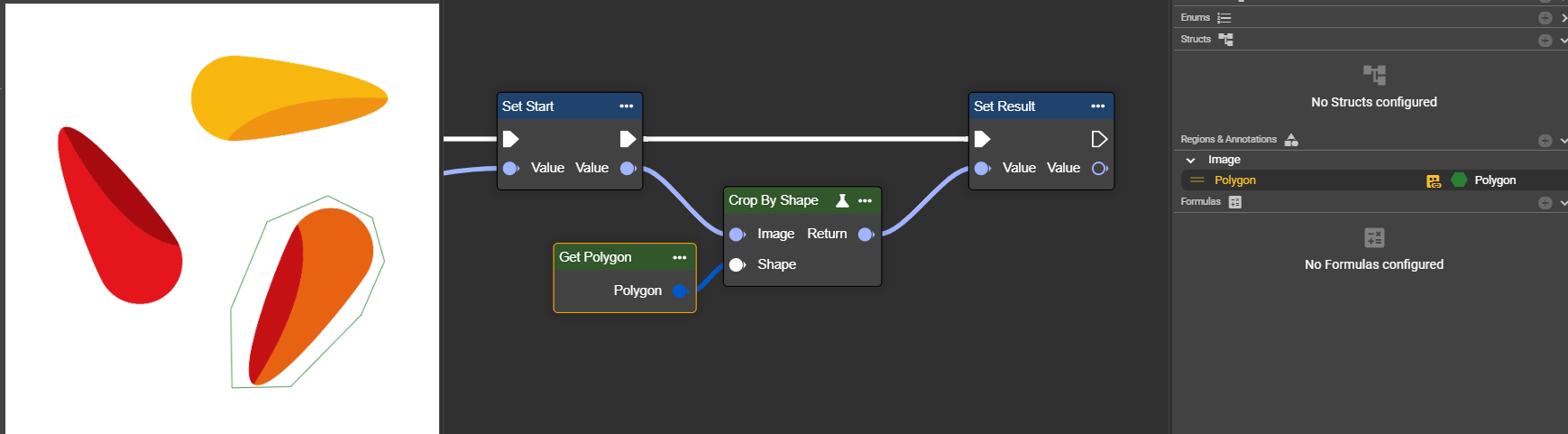
Crop By Shape
Crops an image by coordinates – defined by the top left and bottom right corners, extracting the desired area.
Flow
Example 1: Box
Example 2: Polygon
Parameter set
|
Parameter |
Type |
Description |
Value range |
Effect |
|---|---|---|---|---|
|
Image |
Image |
A grayscale or color image is possible. You can use the "Convert To Grayscale" node. |
|
Unbekannter Anhang
|
|
Shape |
Shape |
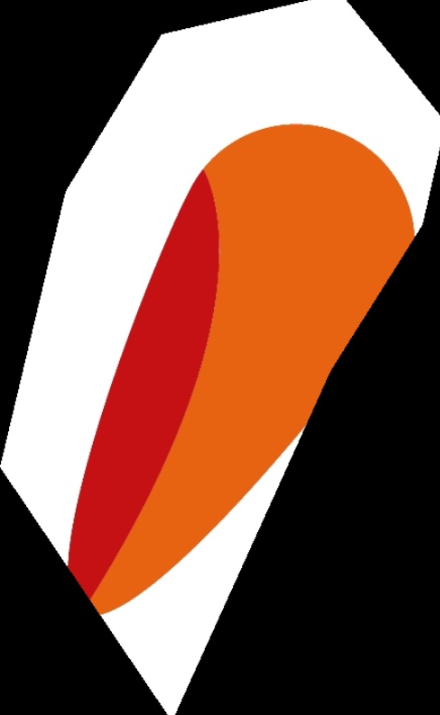
The shape used to crop the image. Supported shapes are: box, rectangle, circle, polygon and region. The shapes can come from the annotations in the image editor or be created using Make nodes. |
Box
|
|
|
Polygon
|
|
Draw Line Variant
Draws a line in the image – useful for marking, highlighting or annotating in image processing tasks.
Flow
Parameter set
|
Parameter |
Type |
Description |
Value range |
Effect Min |
Effect Max |
|---|---|---|---|---|---|
|
Image |
Image |
A grayscale image is required. You can use the "To Grayscale (Image)" node. |
|
Unbekannter Anhang
|
Unbekannter Anhang
|
|
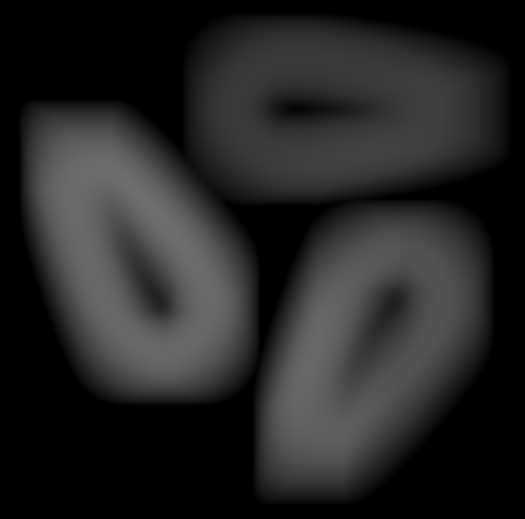
Mask Width (Pixel) |
Int32 |
Set the width of the mask used for the deviation calculation. Larger values cover a wider area, helping to detect larger or more significant deviations. |
|
Width: 5px
Unbekannter Anhang
|
Width: 200px
|
Draw Shape
Allows you to draw shapes in the image – ideal for highlighting or marking specific areas.
Flow
Parameter set
|
Parameter |
Type |
Description |
Value range |
Effect Min |
Effect Max |
|---|---|---|---|---|---|
|
Image |
Image |
A grayscale image is required. You can use the "To Grayscale (Image)" node. |
|
Unbekannter Anhang
|
Unbekannter Anhang
|
|
Mask Width (Pixel) |
Int32 |
Set the width of the mask used for the deviation calculation. Larger values cover a wider area, helping to detect larger or more significant deviations. |
|
Width: 5px
Unbekannter Anhang
|
Width: 200px
|
Draw Ellipse
Draws an ellipse into the image – useful for annotating, highlighting or marking specific image areas.
Flow
Parameter set
|
Parameter |
Type |
Description |
Value range |
Effect Min |
Effect Max |
|---|---|---|---|---|---|
|
Image |
Image |
A grayscale image is required. You can use the "To Grayscale (Image)" node. |
|
Unbekannter Anhang
|
Unbekannter Anhang
|
|
Mask Width (Pixel) |
Int32 |
Set the width of the mask used for the deviation calculation. Larger values cover a wider area, helping to detect larger or more significant deviations. |
|
Width: 5px
Unbekannter Anhang
|
Width: 200px
|
Reduce Domain To Shape
Limits the image area to a shape without cropping – outside pixels become black, coordinates are preserved.
Flow
Parameter set
|
Parameter |
Type |
Description |
Value range |
Effect Min |
Effect Max |
|---|---|---|---|---|---|
|
Image |
Image |
A grayscale image is required. You can use the "To Grayscale (Image)" node. |
|
Unbekannter Anhang
|
Unbekannter Anhang
|
|
Mask Width (Pixel) |
Int32 |
Set the width of the mask used for the deviation calculation. Larger values cover a wider area, helping to detect larger or more significant deviations. |
|
Width: 5px
Unbekannter Anhang
|
Width: 200px
|
Mean
Calculates the average of all pixels – provides information about average brightness or color intensity in the image.
Flow
Parameter set
|
Parameter |
Type |
Description |
Value range |
Effect Min |
Effect Max |
|---|---|---|---|---|---|
|
Image |
Image |
A grayscale image is required. You can use the "To Grayscale (Image)" node. |
|
Unbekannter Anhang
|
Unbekannter Anhang
|
|
Mask Width (Pixel) |
Int32 |
Set the width of the mask used for the deviation calculation. Larger values cover a wider area, helping to detect larger or more significant deviations. |
|
Width: 5px
Unbekannter Anhang
|
Width: 200px
|
Standard Deviation
Calculates the standard deviation of pixel values – shows how much brightness or color scatters or varies in the image.
Flow
Parameter set
|
Parameter |
Type |
Description |
Value range |
Effect Min |
Effect Max |
|---|---|---|---|---|---|
|
Image |
Image |
A grayscale image is required. You can use the "To Grayscale (Image)" node. |
|
Unbekannter Anhang
|
Unbekannter Anhang
|
|
Mask Width (Pixel) |
Int32 |
Set the width of the mask used for the deviation calculation. Larger values cover a wider area, helping to detect larger or more significant deviations. |
|
Width: 5px
Unbekannter Anhang
|
Width: 200px
|
Minimum
Calculates the standard deviation of pixel values – shows how much brightness or color scatters or varies in the image.
Flow
Parameter set
|
Parameter |
Type |
Description |
Value range |
Effect Min |
Effect Max |
|---|---|---|---|---|---|
|
Image |
Image |
A grayscale image is required. You can use the "To Grayscale (Image)" node. |
|
Unbekannter Anhang
|
Unbekannter Anhang
|
|
Mask Width (Pixel) |
Int32 |
Set the width of the mask used for the deviation calculation. Larger values cover a wider area, helping to detect larger or more significant deviations. |
|
Width: 5px
Unbekannter Anhang
|
Width: 200px
|
Maximum
Determines the highest pixel value in the image – shows the brightest or most intense area in the entire image.
Flow
Parameter set
|
Parameter |
Type |
Description |
Value range |
Effect Min |
Effect Max |
|---|---|---|---|---|---|
|
Image |
Image |
A grayscale image is required. You can use the "To Grayscale (Image)" node. |
|
Unbekannter Anhang
|
Unbekannter Anhang
|
|
Mask Width (Pixel) |
Int32 |
Set the width of the mask used for the deviation calculation. Larger values cover a wider area, helping to detect larger or more significant deviations. |
|
Width: 5px
Unbekannter Anhang
|
Width: 200px
|
Plot Text
Draws a text at a defined position in the image – non-displayable characters are replaced by question marks.
Flow
Parameter set
|
Parameter |
Type |
Description |
Value range |
Effect Min |
Effect Max |
|---|---|---|---|---|---|
|
Image |
Image |
A grayscale image is required. You can use the "To Grayscale (Image)" node. |
|
Unbekannter Anhang
|
Unbekannter Anhang
|
|
Mask Width (Pixel) |
Int32 |
Set the width of the mask used for the deviation calculation. Larger values cover a wider area, helping to detect larger or more significant deviations. |
|
Width: 5px
Unbekannter Anhang
|
Width: 200px
|
Get Image Meta Information
Returns metadata for the input image – determines image type, width and height.
Flow
Parameter set
|
Parameter |
Type |
Description |
Value range |
Effect Min |
Effect Max |
|---|---|---|---|---|---|
|
Image |
Image |
A grayscale image is required. You can use the "To Grayscale (Image)" node. |
|
Unbekannter Anhang
|
Unbekannter Anhang
|
|
Mask Width (Pixel) |
Int32 |
Set the width of the mask used for the deviation calculation. Larger values cover a wider area, helping to detect larger or more significant deviations. |
|
Width: 5px
Unbekannter Anhang
|
Width: 200px
|
Split Image (RGB)
Determines the RGB color channels of an image - returns one value for each channel.
Flow
Parameter set
|
Parameter |
Type |
Description |
Value range |
Effect Min |
Effect Max |
|---|---|---|---|---|---|
|
Image |
Image |
A grayscale image is required. You can use the "To Grayscale (Image)" node. |
|
Unbekannter Anhang
|
Unbekannter Anhang
|
|
Mask Width (Pixel) |
Int32 |
Set the width of the mask used for the deviation calculation. Larger values cover a wider area, helping to detect larger or more significant deviations. |
|
Width: 5px
Unbekannter Anhang
|
Width: 200px
|
Split Image (HSV)
Determines the hue, saturation, and brightness of an RGB image by converting to HSV color space and splitting the channels.
Flow
Parameter set
|
Parameter |
Type |
Description |
Value range |
Effect Min |
Effect Max |
|---|---|---|---|---|---|
|
Image |
Image |
A grayscale image is required. You can use the "To Grayscale (Image)" node. |
|
Unbekannter Anhang
|
Unbekannter Anhang
|
|
Mask Width (Pixel) |
Int32 |
Set the width of the mask used for the deviation calculation. Larger values cover a wider area, helping to detect larger or more significant deviations. |
|
Width: 5px
Unbekannter Anhang
|
Width: 200px
|
Combine Image
Creates a color image by combining individual images for red, green, and blue channels.
Flow
Parameter set
|
Parameter |
Type |
Description |
Value range |
Effect Min |
Effect Max |
|---|---|---|---|---|---|
|
Image |
Image |
A grayscale image is required. You can use the "To Grayscale (Image)" node. |
|
Unbekannter Anhang
|
Unbekannter Anhang
|
|
Mask Width (Pixel) |
Int32 |
Set the width of the mask used for the deviation calculation. Larger values cover a wider area, helping to detect larger or more significant deviations. |
|
Width: 5px
Unbekannter Anhang
|
Width: 200px
|
Calculate Histogram
Calculates the histogram of an image. Supports grayscale (mono), RGB, and HSV channels. Optionally, a mask can be provided to calculate the histogram only for selected areas.
Flow
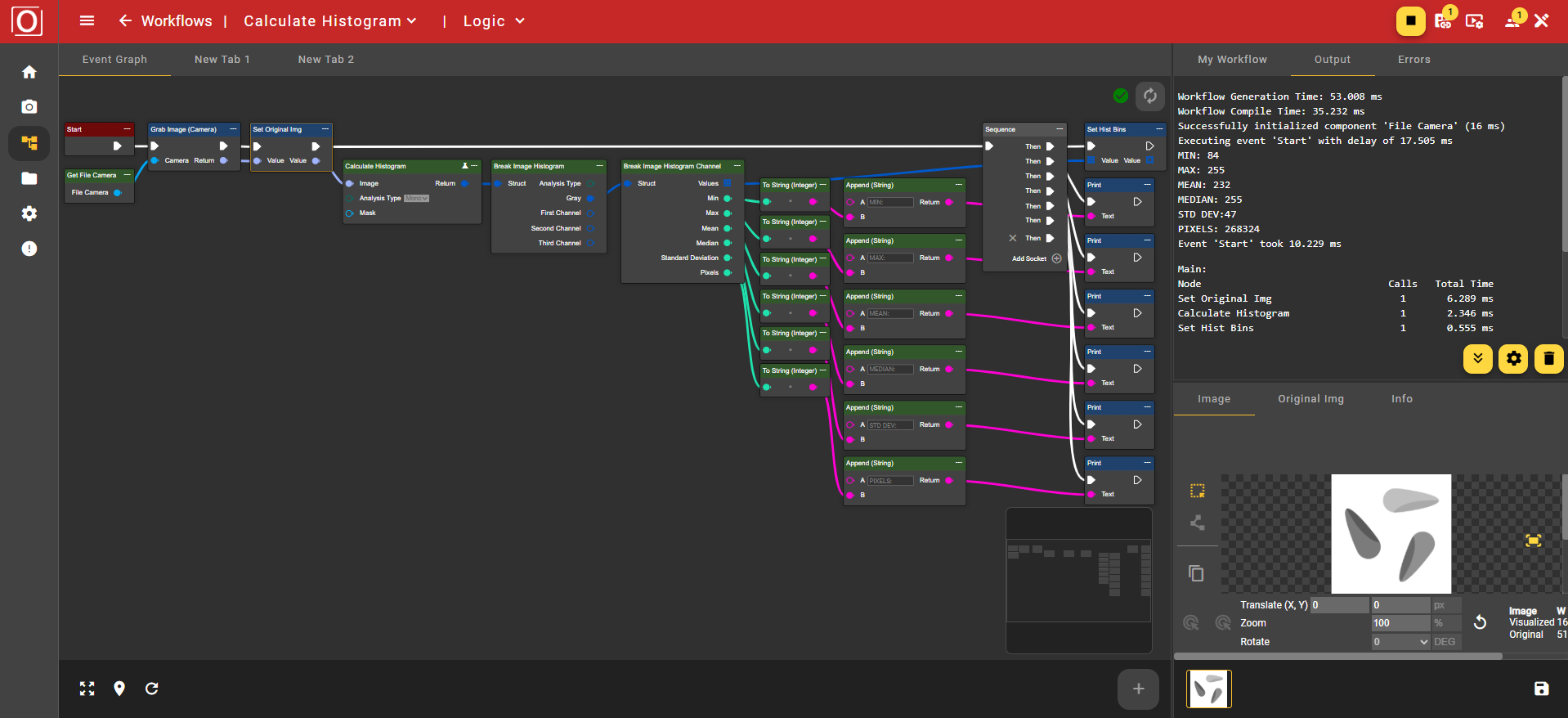
Parameter set
|
Attribute |
Type |
Description |
Value range |
Effect |
||||||||||||||
|---|---|---|---|---|---|---|---|---|---|---|---|---|---|---|---|---|---|---|
|
Image |
Image |
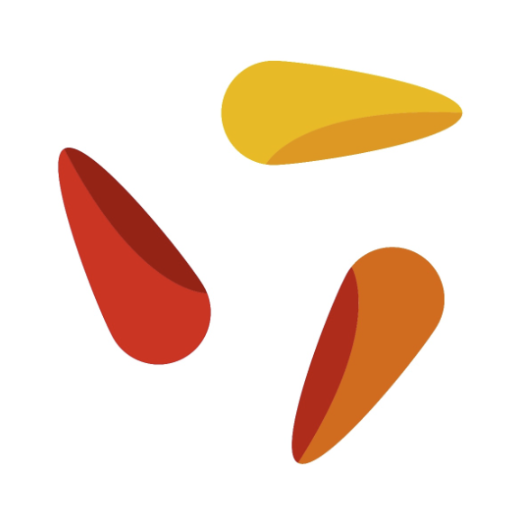
Input image, on which the histogram calculation is performed. |
|
|
||||||||||||||
|
Analysis Type |
HistogramAnalysisType |
Histogram channel mode to use:
|
Mono |
|
||||||||||||||
|
|
|
Histogram channel mode to use:
|
RGB |
|
||||||||||||||
|
|
|
Histogram channel mode to use:
|
HSV |
|
||||||||||||||
|
Mask |
Region |
Optional image area to include in the histogram. Only pixels within this area are considered. If set to zero, the histogram is calculated across the entire image. |
|
|
||||||||||||||
|
Return |
Image Histogram |
Returns the calculation results as a structure. A detailed breakdown can be performed using the Break Image Histogram function. |
|
|
The histogram data can be further processed using the Break Histogram node. This node decomposes the structure into its individual components. Depending on the previously selected Analysis Type, the results of the histogram calculation can be read via the Gray outputs if Mono was previously selected, or First Channel, Second Channel, and Third Channel if RGB or HSV was used.
If the respective channels are further broken down using Break Image Histogram Channel, one obtains, on the one hand, an array of tuples consisting of the value and its frequency, and on the other hand, the extreme values already listed above in the table.