This chapter provides general information on how to use persistent variables in the evoVIU camera.
Introduction
There are often scenarios in which counters or certain values must be available again after a restart. In these cases, resetting or restarting must be prevented. This is exactly where persistent variables come into play. You can use them in the workflow to access values even after a restart, regardless of whether it is a camera or a process.
Overview
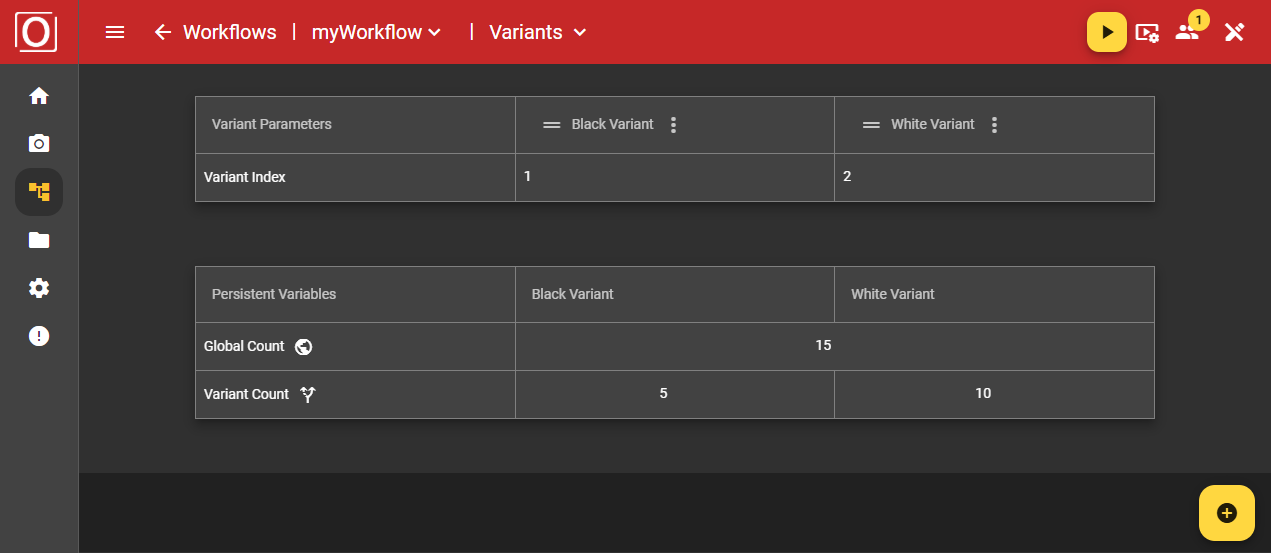
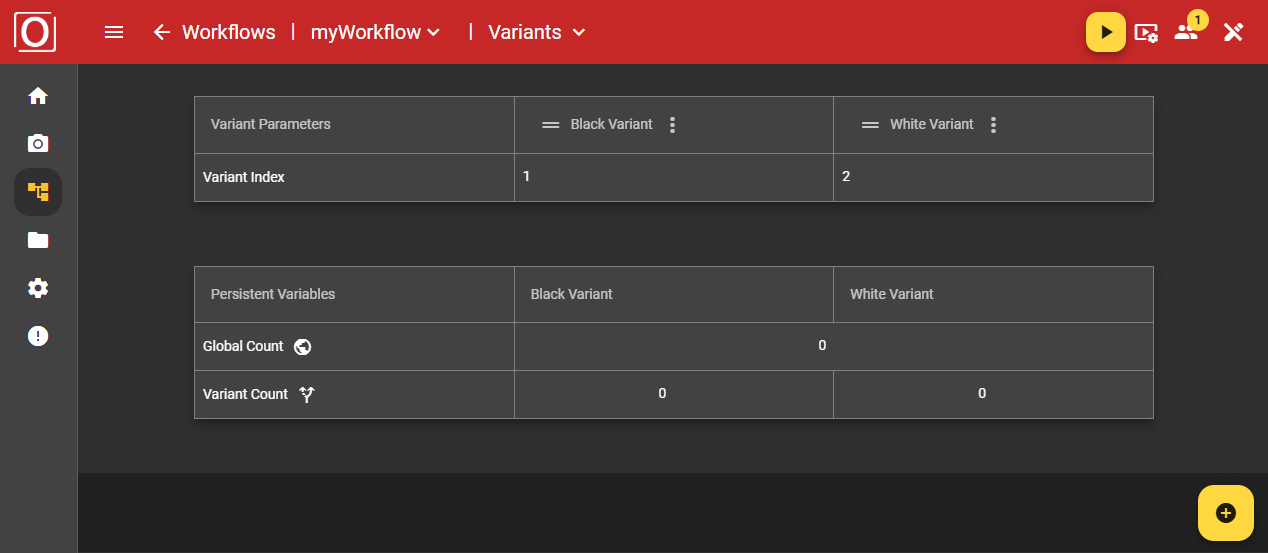
You can view the contents of persistent variables on the overview page. In the top app bar, the red bar at the top of the screen, you can configure your workflow under Logic, display information about your current process using widgets under Dashboard, and set paths with different values, in this case the initial values of your persistent variables, using Variants. However, you can also read the current values of your persistent variable on this overview page while the process is running.
Important: Before you can start a workflow with persistent variables, you must enter the initial values on the overview page.
Configuration in the workflow
Persistent attributes
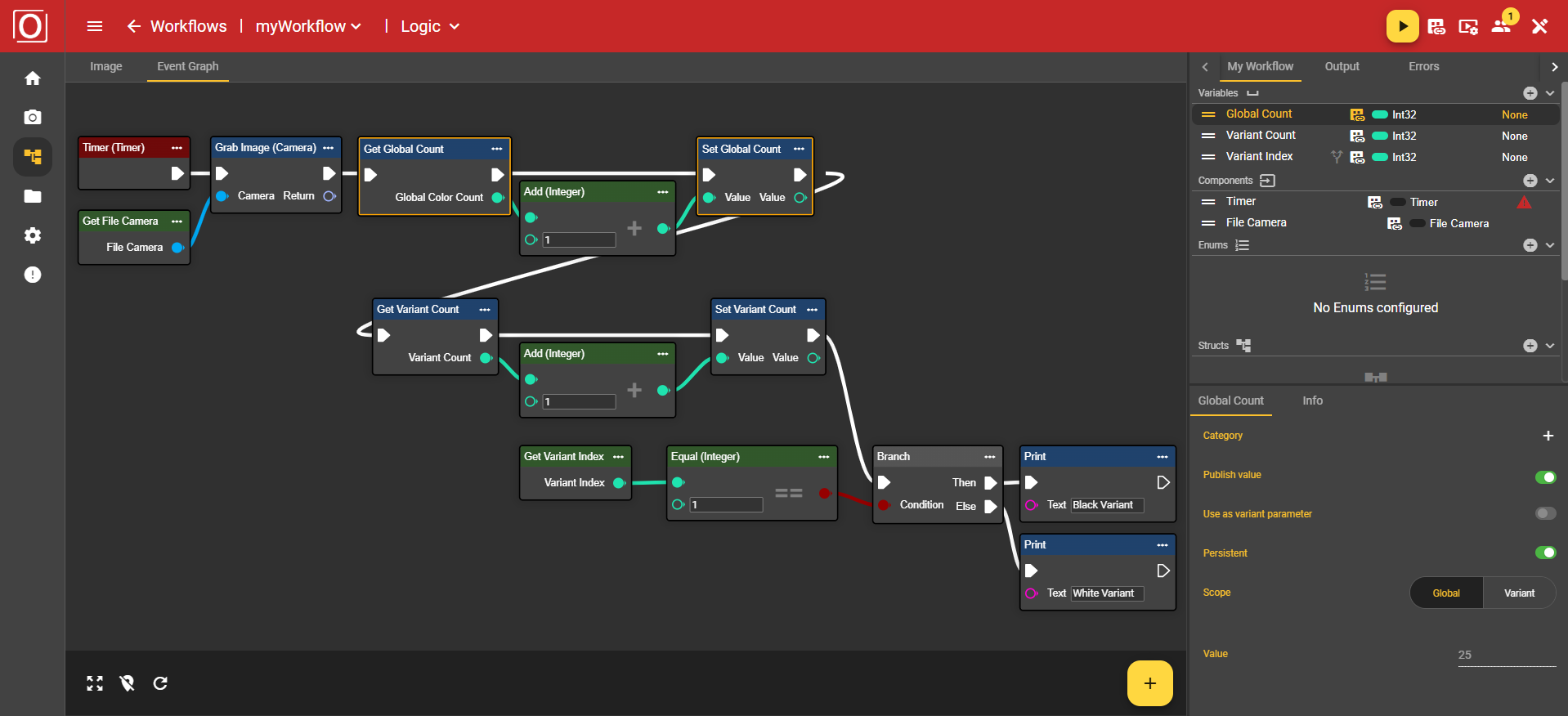
As you may already know, you can create and use any number of variables of different types in the workflow. The Int32 data type is ideal for using persistent variables. When you select a variable, you can ensure that the variable is available as a persistent variable in the corresponding Details tab under the Persistent attribute.

Scope
Once a variable has been declared as persistent, a statement must be made about its scope, i.e., the area in which the variable is valid. This can be valid for the entire workflow, i.e., globally, or only for individual variants.

Application example
Setting up a workflow
This is based on a fictitious example. On the one hand, a global counter is to log the runs, and on the other hand, a persistent variable is to record the runs of the respective variants. Ultimately, only arithmetic operations are performed in the workflow. The decisive variables were configured as in the Persistent Attributes and Scope areas in the two possible constellations.
Evaluation of a workflow
While all variables initially contained the value 0 at the start of the workflow, after stopping and changing the variant, it was possible to determine that a total of 15 runs took place, with the black variant being called only 5 times and the white variant being called a total of 10 times.