
Compare Images
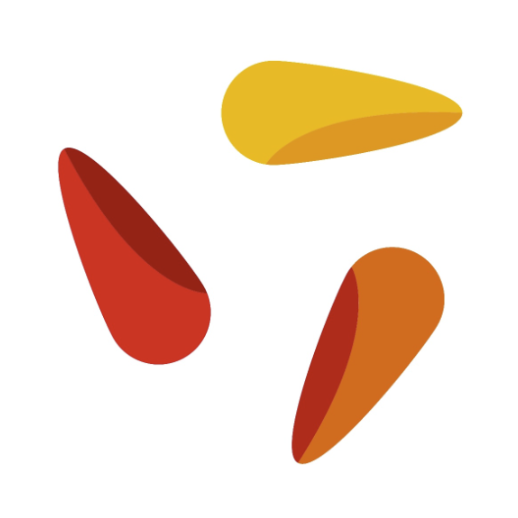
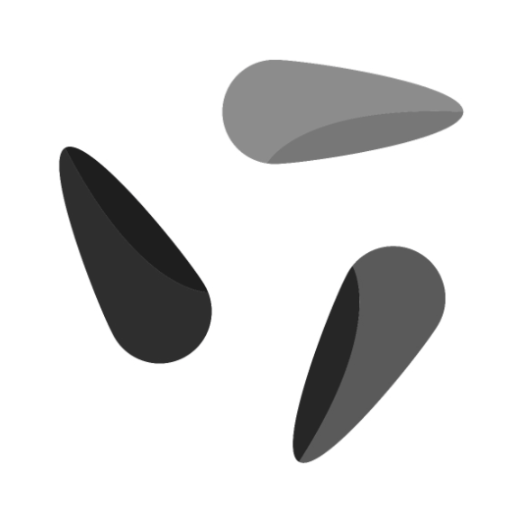
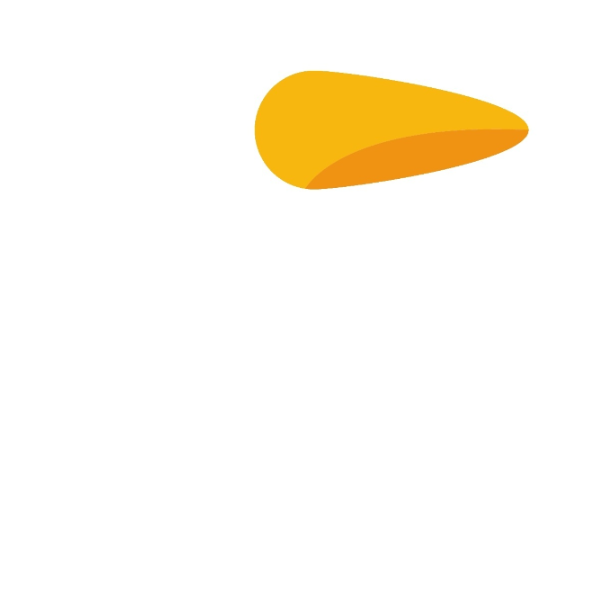
Compares two images and highlights differences – differences appear dark, similarities appear brighter.
Flow
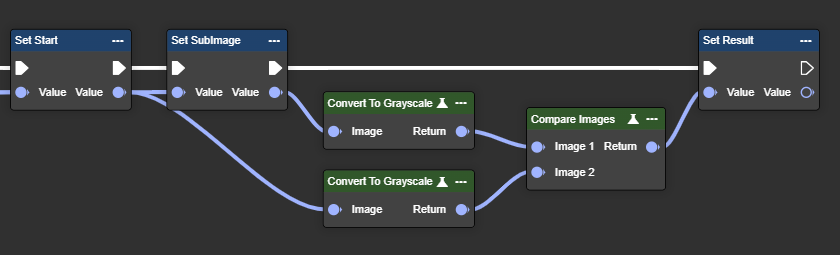
Parameter set
|
Parameter |
Type |
Description |
Value range |
Effect Color |
Effect Mono |
|---|---|---|---|---|---|
|
Image 1 |
Image |
A grayscale image is required. You can use the "To Grayscale (Image)" node. No color image possible. |
|
|
|
|
Image 2 |
Image |
A grayscale image is required. You can use the "To Grayscale (Image)" node. No color image possible. |
|
|
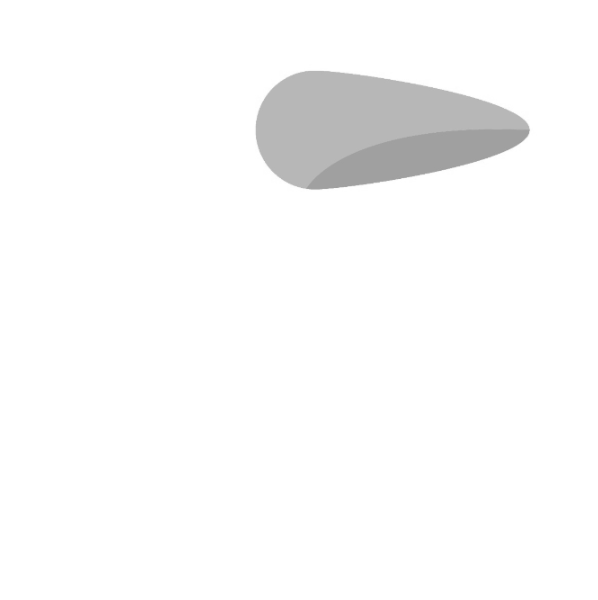
|
|
Return |
Image |
The return value is also a grayscale image. |
|
No result possible. |
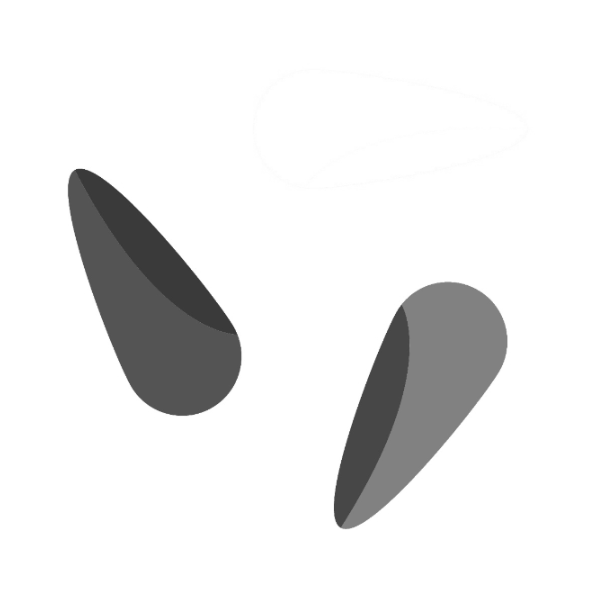
|
Convert to Grayscale
Converts an RGB image to grayscale based on brightness, simplifying color-independent image processing.
Flow
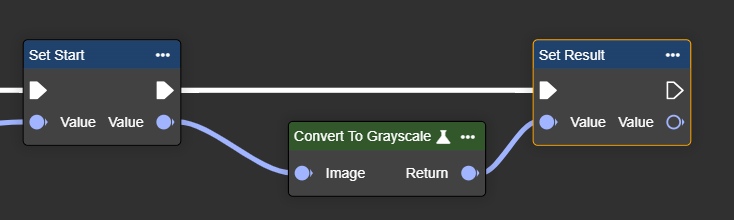
Parameter set
|
Parameter |
Type |
Description |
Effect |
|---|---|---|---|
|
Image |
Image |
Color image to be converted to grayscale. |
|
|
Return |
Image |
Converted grayscale image. |
|
Crop By Coordinates
Crops an image by coordinates – defined by the top left and bottom right corners, extracting the desired area.
Flow
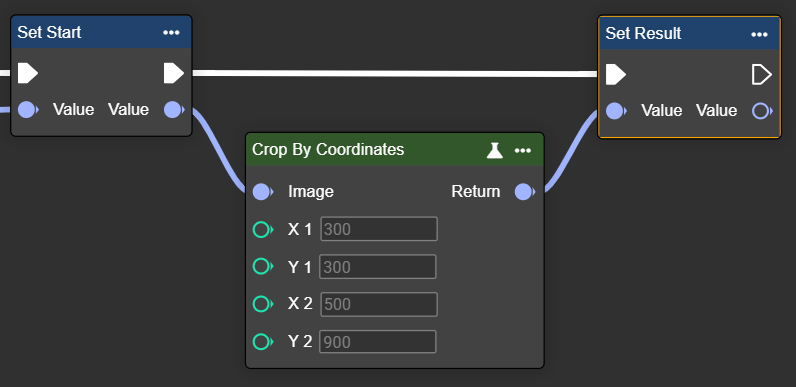
Parameter set
|
Parameter |
Type |
Description |
Value range |
Effect Min |
Effect Max |
|---|---|---|---|---|---|
|
Image |
Image |
A grayscale or color image is possible. You can use the "Convert To Grayscale" node. |
|
|
|
|
X1
|
Int32 |
Coordinates in the image. |
|
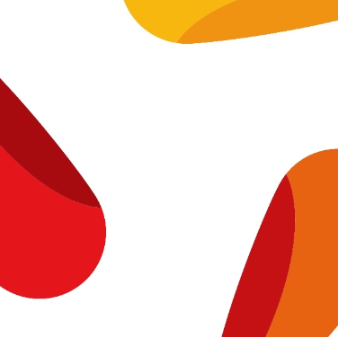
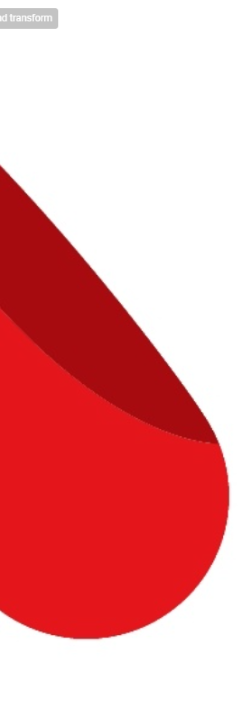
X1: 300 X2: 900
|
X1: 300 X2: 500
|
Crop By Shape
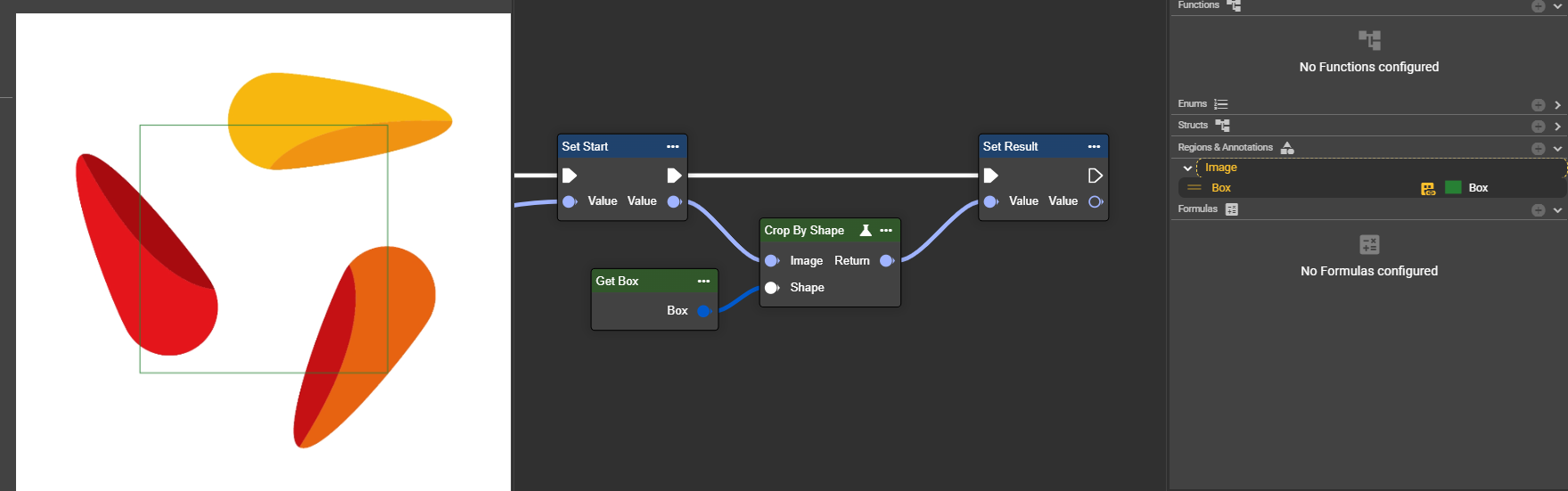
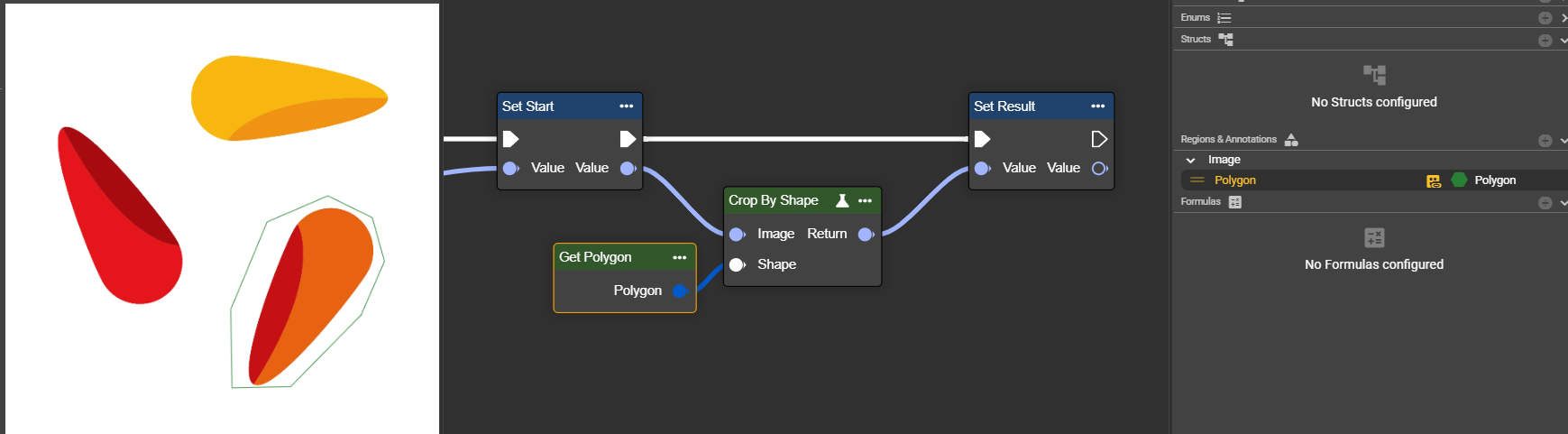
Crops an image by coordinates – defined by the top left and bottom right corners, extracting the desired area.
Flow
Example 1: Box
Example 2: Polygon
Parameter set
|
Parameter |
Type |
Description |
Value range |
Effect |
|---|---|---|---|---|
|
Image |
Image |
A grayscale or color image is possible. You can use the "Convert To Grayscale" node. |
|
|
|
Shape |
Shape |
The shape used to crop the image. Supported shapes are: box, rectangle, circle, polygon and region. The shapes can come from the annotations in the image editor or be created using Make nodes. |
Box
|
|
|
Polygon
|
|
Draw Line Variant
Draws a line in the image – useful for marking, highlighting or annotating in image processing tasks.
Flow
Parameter set
|
Parameter |
Type |
Description |
Value range |
Effect Min |
Effect Max |
|---|---|---|---|---|---|
|
Image |
Image |
A grayscale image is required. You can use the "To Grayscale (Image)" node. |
|
|
|
|
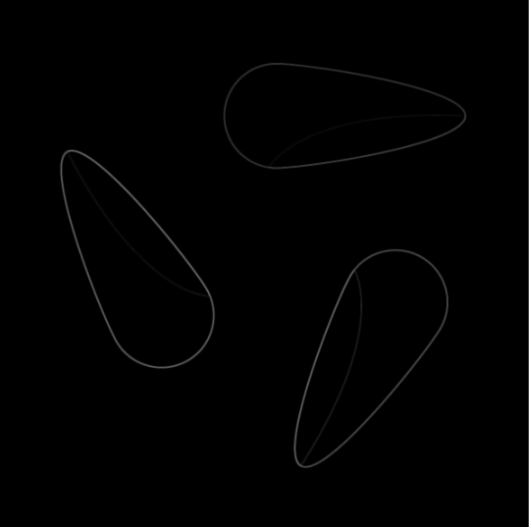
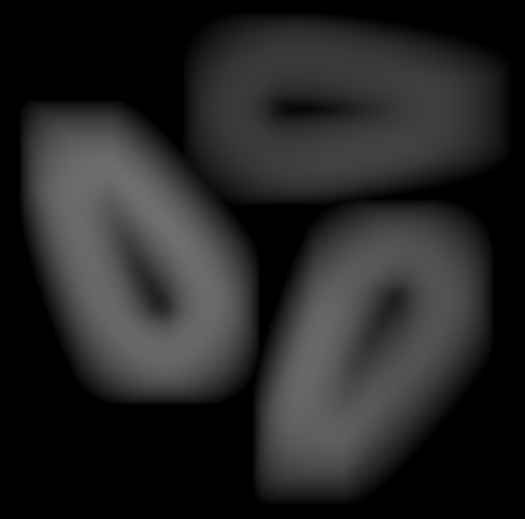
Mask Width (Pixel) |
Int32 |
Set the width of the mask used for the deviation calculation. Larger values cover a wider area, helping to detect larger or more significant deviations. |
|
Width: 5px
|
Width: 200px
|
Draw Shape
Allows you to draw shapes in the image – ideal for highlighting or marking specific areas.
Flow
Parameter set
|
Parameter |
Type |
Description |
Value range |
Effect Min |
Effect Max |
|---|---|---|---|---|---|
|
Image |
Image |
A grayscale image is required. You can use the "To Grayscale (Image)" node. |
|
|
|
|
Mask Width (Pixel) |
Int32 |
Set the width of the mask used for the deviation calculation. Larger values cover a wider area, helping to detect larger or more significant deviations. |
|
Width: 5px
|
Width: 200px
|
Draw Ellipse
Draws an ellipse into the image – useful for annotating, highlighting or marking specific image areas.
Flow
Parameter set
|
Parameter |
Type |
Description |
Value range |
Effect Min |
Effect Max |
|---|---|---|---|---|---|
|
Image |
Image |
A grayscale image is required. You can use the "To Grayscale (Image)" node. |
|
|
|
|
Mask Width (Pixel) |
Int32 |
Set the width of the mask used for the deviation calculation. Larger values cover a wider area, helping to detect larger or more significant deviations. |
|
Width: 5px
|
Width: 200px
|
Reduce Domain To Shape
Limits the image area to a shape without cropping – outside pixels become black, coordinates are preserved.
Flow
Parameter set
|
Parameter |
Type |
Description |
Value range |
Effect Min |
Effect Max |
|---|---|---|---|---|---|
|
Image |
Image |
A grayscale image is required. You can use the "To Grayscale (Image)" node. |
|
|
|
|
Mask Width (Pixel) |
Int32 |
Set the width of the mask used for the deviation calculation. Larger values cover a wider area, helping to detect larger or more significant deviations. |
|
Width: 5px
|
Width: 200px
|
Mean
Calculates the average of all pixels – provides information about average brightness or color intensity in the image.
Flow
Parameter set
|
Parameter |
Type |
Description |
Value range |
Effect Min |
Effect Max |
|---|---|---|---|---|---|
|
Image |
Image |
A grayscale image is required. You can use the "To Grayscale (Image)" node. |
|
|
|
|
Mask Width (Pixel) |
Int32 |
Set the width of the mask used for the deviation calculation. Larger values cover a wider area, helping to detect larger or more significant deviations. |
|
Width: 5px
|
Width: 200px
|
Standard Deviation
Calculates the standard deviation of pixel values – shows how much brightness or color scatters or varies in the image.
Flow
Parameter set
|
Parameter |
Type |
Description |
Value range |
Effect Min |
Effect Max |
|---|---|---|---|---|---|
|
Image |
Image |
A grayscale image is required. You can use the "To Grayscale (Image)" node. |
|
|
|
|
Mask Width (Pixel) |
Int32 |
Set the width of the mask used for the deviation calculation. Larger values cover a wider area, helping to detect larger or more significant deviations. |
|
Width: 5px
|
Width: 200px
|
Minimum
Calculates the standard deviation of pixel values – shows how much brightness or color scatters or varies in the image.
Flow
Parameter set
|
Parameter |
Type |
Description |
Value range |
Effect Min |
Effect Max |
|---|---|---|---|---|---|
|
Image |
Image |
A grayscale image is required. You can use the "To Grayscale (Image)" node. |
|
|
|
|
Mask Width (Pixel) |
Int32 |
Set the width of the mask used for the deviation calculation. Larger values cover a wider area, helping to detect larger or more significant deviations. |
|
Width: 5px
|
Width: 200px
|
Maximum
Determines the highest pixel value in the image – shows the brightest or most intense area in the entire image.
Flow
Parameter set
|
Parameter |
Type |
Description |
Value range |
Effect Min |
Effect Max |
|---|---|---|---|---|---|
|
Image |
Image |
A grayscale image is required. You can use the "To Grayscale (Image)" node. |
|
|
|
|
Mask Width (Pixel) |
Int32 |
Set the width of the mask used for the deviation calculation. Larger values cover a wider area, helping to detect larger or more significant deviations. |
|
Width: 5px
|
Width: 200px
|
Plot Text
Draws a text at a defined position in the image – non-displayable characters are replaced by question marks.
Flow
Parameter set
|
Parameter |
Type |
Description |
Value range |
Effect Min |
Effect Max |
|---|---|---|---|---|---|
|
Image |
Image |
A grayscale image is required. You can use the "To Grayscale (Image)" node. |
|
|
|
|
Mask Width (Pixel) |
Int32 |
Set the width of the mask used for the deviation calculation. Larger values cover a wider area, helping to detect larger or more significant deviations. |
|
Width: 5px
|
Width: 200px
|
Get Image Meta Information
Returns metadata for the input image – determines image type, width and height.
Flow
Parameter set
|
Parameter |
Type |
Description |
Value range |
Effect Min |
Effect Max |
|---|---|---|---|---|---|
|
Image |
Image |
A grayscale image is required. You can use the "To Grayscale (Image)" node. |
|
|
|
|
Mask Width (Pixel) |
Int32 |
Set the width of the mask used for the deviation calculation. Larger values cover a wider area, helping to detect larger or more significant deviations. |
|
Width: 5px
|
Width: 200px
|
Split Image (RGB)
Determines the RGB color channels of an image - returns one value for each channel.
Flow
Parameter set
|
Parameter |
Type |
Description |
Value range |
Effect Min |
Effect Max |
|---|---|---|---|---|---|
|
Image |
Image |
A grayscale image is required. You can use the "To Grayscale (Image)" node. |
|
|
|
|
Mask Width (Pixel) |
Int32 |
Set the width of the mask used for the deviation calculation. Larger values cover a wider area, helping to detect larger or more significant deviations. |
|
Width: 5px
|
Width: 200px
|
Split Image (HSV)
Determines the hue, saturation, and brightness of an RGB image by converting to HSV color space and splitting the channels.
Flow
Parameter set
|
Parameter |
Type |
Description |
Value range |
Effect Min |
Effect Max |
|---|---|---|---|---|---|
|
Image |
Image |
A grayscale image is required. You can use the "To Grayscale (Image)" node. |
|
|
|
|
Mask Width (Pixel) |
Int32 |
Set the width of the mask used for the deviation calculation. Larger values cover a wider area, helping to detect larger or more significant deviations. |
|
Width: 5px
|
Width: 200px
|
Combine Image
Creates a color image by combining individual images for red, green, and blue channels.
Flow
Parameter set
|
Parameter |
Type |
Description |
Value range |
Effect Min |
Effect Max |
|---|---|---|---|---|---|
|
Image |
Image |
A grayscale image is required. You can use the "To Grayscale (Image)" node. |
|
|
|
|
Mask Width (Pixel) |
Int32 |
Set the width of the mask used for the deviation calculation. Larger values cover a wider area, helping to detect larger or more significant deviations. |
|
Width: 5px
|
Width: 200px
|