
CLAHE
CLAHE stands for Contrast Limited Adaptive Histogram Equalization and is an image processing technique for improving local contrast. Instead of processing the entire image, CLAHE divides it into smaller regions (tiles), calculates a separate histogram for each tile, and applies contrast-limited histogram equalization. This prevents excessive noise amplification in homogeneous areas.
Flow
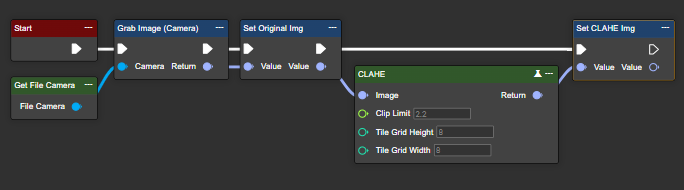
Parameter set
|
Attribute |
Type |
Description |
Value range |
Effect |
|---|---|---|---|---|
|
Image |
Image |
Input image on which the contrast enhancement is to be applied. |
|

|
|
Clip Limit |
Single |
Threshold for limiting the contrast. |
|
|
|
Tile Grid Height |
Int32 |
Number of tiles along the image height. |
|
|
|
Tile Grid Width |
Int32 |
Number of tiles along the image width. |
|
|
|
Return |
Image |
Returns a low-contrast, adaptively corrected image. |
|

|
Compare Histogram
The Compare Histogram node can be used to measure similarities and differences between histograms. The function supports both single-channel and multi-channel histograms (RGB or HSV). When comparing multi-channel histograms (RGB or HSV), the function returns a similarity value for each channel.
-
RGB: The values correspond to the red, green, and blue channels in that order.
-
HSV: The values correspond to the hue, saturation, and brightness channels in that order.
Flow
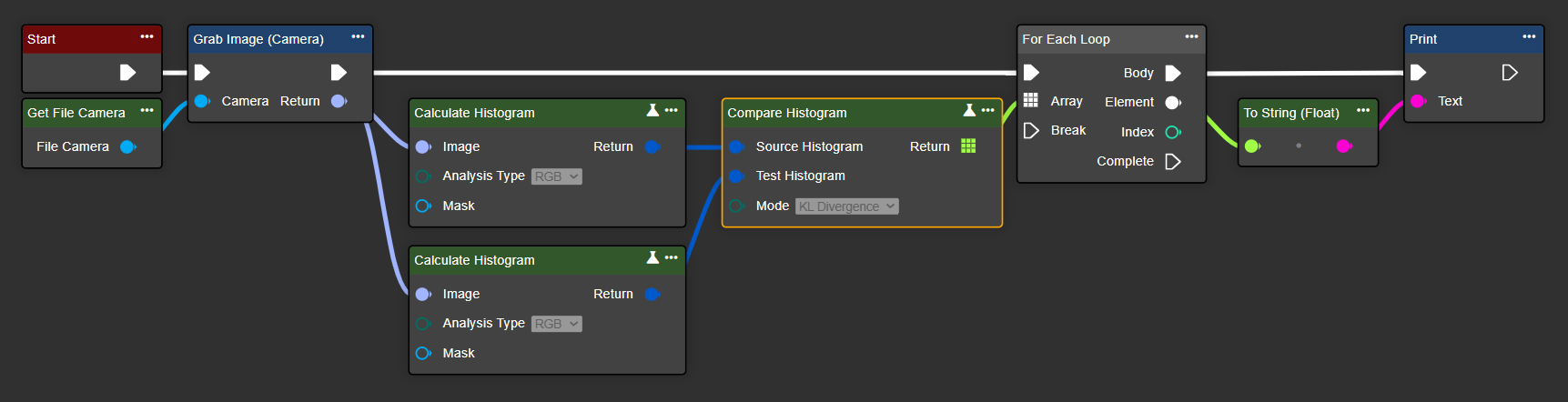
Parameter set
|
Attribute |
Type |
Description |
|---|---|---|
|
Source Histogram |
Image Histogram |
Result of a histogram calculation. |
|
Test Histogram |
Image Histogram |
Result of another histogram calculation. |
|
Mode |
HistogramCompareMode |
Mode to be used for comparison. |
|
|
|
Correlation: Measures the linear correlation between the histograms. |
|
|
|
Chi-square: Statistical comparison of deviations. Intersection: Sum of the minimum values of each bin. |
|
|
|
Bhattacharyya: Measures the similarity of distributions. |
|
|
|
Chi-square alternative: Variation of the chi-square test with different norms. |
|
|
|
KL divergence: A measure of information loss (asymmetric). |
|
Return |
Single (Array) |
Array of comparison values, one per channel:
|
Equalize Histogram
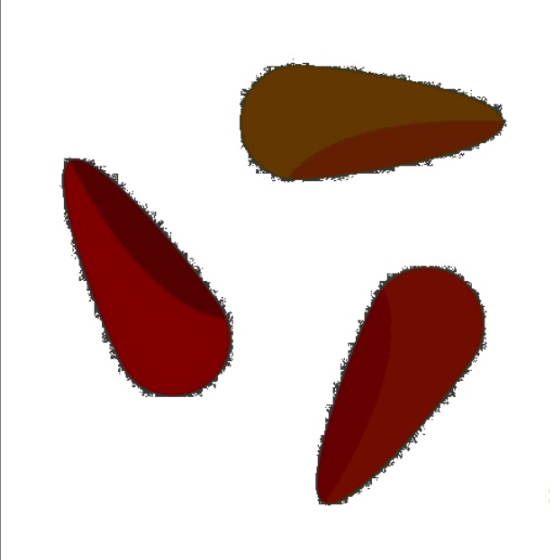
This node allows you to improve the contrast of an image. It stretches the histogram and makes better use of the brightness values. This function is ideal for images with low contrast.
Flow
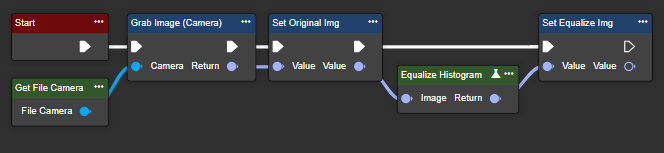
Parameter set
|
Attribute |
Type |
Description |
Value range |
Effect |
|---|---|---|---|---|
|
Image |
Image |
Input image on which the contrast enhancement is to be performed. |
|
|
|
Return |
Image |
Returns a contrast-enhanced image. |
|
|
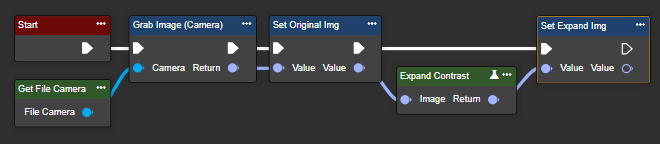
Expand Contrast
This node allows you to increase contrast without changing the image properties. This way, you can stretch a low-contrast image across the entire area.
Flow
Parameter set
|
Attribute |
Type |
Description |
Value range |
Effect |
|---|---|---|---|---|
|
Image |
Image |
Input image on which the contrast enhancement is to be performed. |
|
|
|
Return |
Image |
Returns a contrast-stretched image. |
|

|
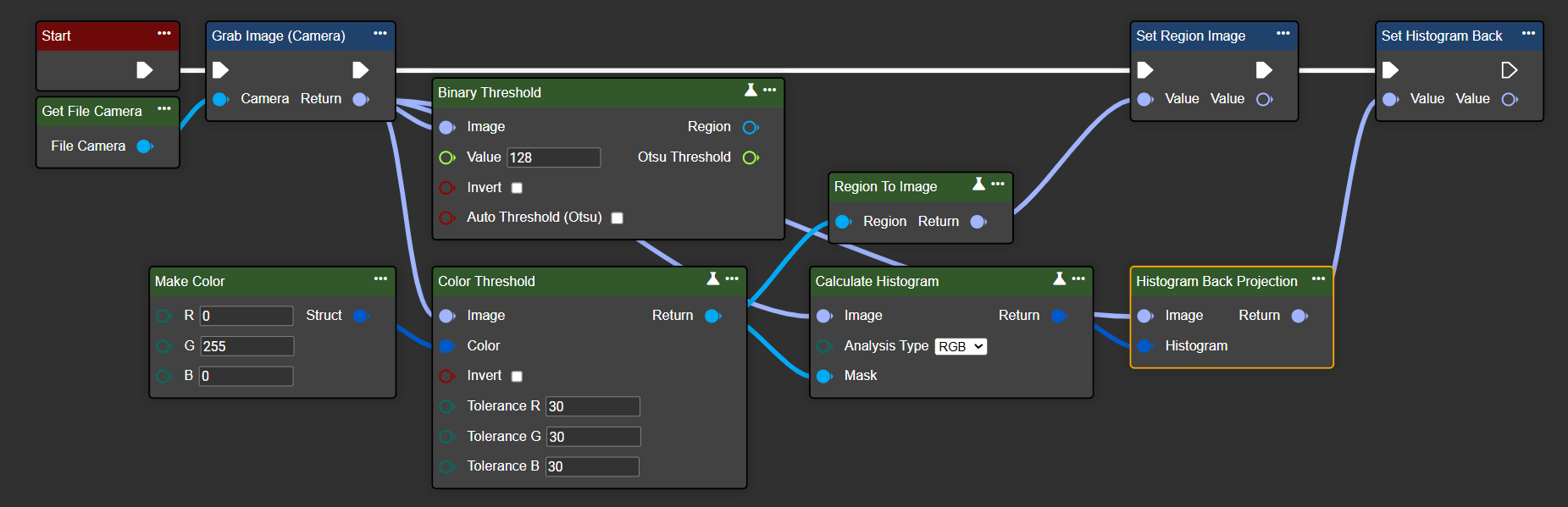
Histogram Back Projection
The Histogram Back Projection node can be used to check the pixel distribution. The goal is to find the region in a target image that most closely matches the color distribution in the reference image.
Flow
Parameter set
|
Attribute |
Type |
Description |
Effect |
|---|---|---|---|
|
Image |
Image |
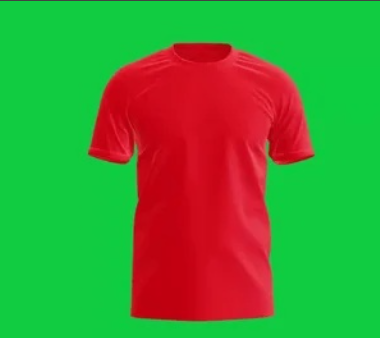
Input image on which the pixel distribution is to be checked. |
|
|
Histogram |
Image Histogram |
The histogram to be used is based on the Calculate Histogram node. |
|
|
Return |
Image |
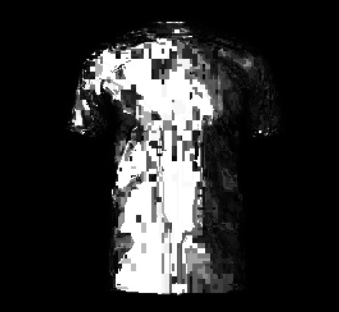
Returns a contrast-stretched image. |
|
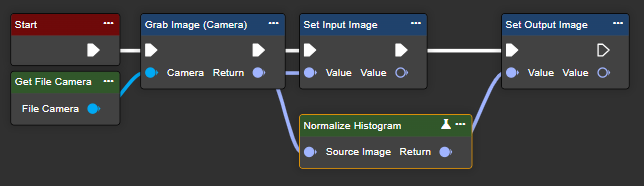
Normalize Histogram
This node allows you to distribute pixel values evenly across a defined area without altering the histogram. This enables you to unify images with varying exposures.
Flow
Parameter set
|
Attribute |
Type |
Description |
Effect |
|---|---|---|---|
|
Source Image |
Image |
Input image on which histogram normalization is applied. |

|
|
Return |
Image |
Image normalized based on a histogram. |

|