
ONNX

The following nodes can only be used in combination with a VIU2.
Classify Image (ONNX)
The "Classify Image (ONNX)" node performs image classification using a model in ONNX format. An image is analyzed and assigned to a predefined class.
Flow
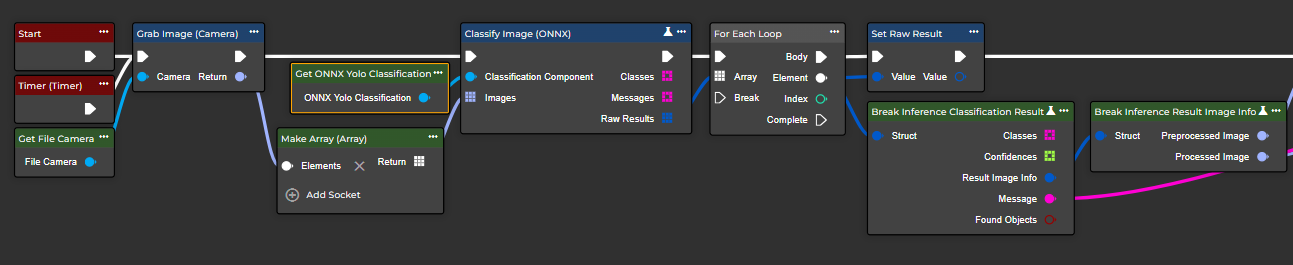
Parameter set
Attribute | Type | Description |
|---|---|---|
Classification Component | ONNX Yolo Classification | Requires the Get node of the ONNX Yolo Classification component. |
Images | Image <Array> | One or more images are expected. |
Classes | String <Array> | All classes (sorted by Confidence) that are potential classes. |
Messages | String <Array> | An array of messages that describe the result of evaluating each input image. |
Raw Results | Inference Classification Result <Array> | Includes all classes (sorted by confidence) that are potential classes, the corresponding confidence values, the pre-processed and post-processed image, and whether and as what the image was classified. |
Detect Code (ONNX)
The node “Detect Code (ONNX)” performs object detection using ONNX models to identify laser codes in an image and determine their positions (boundary frame).
Flow
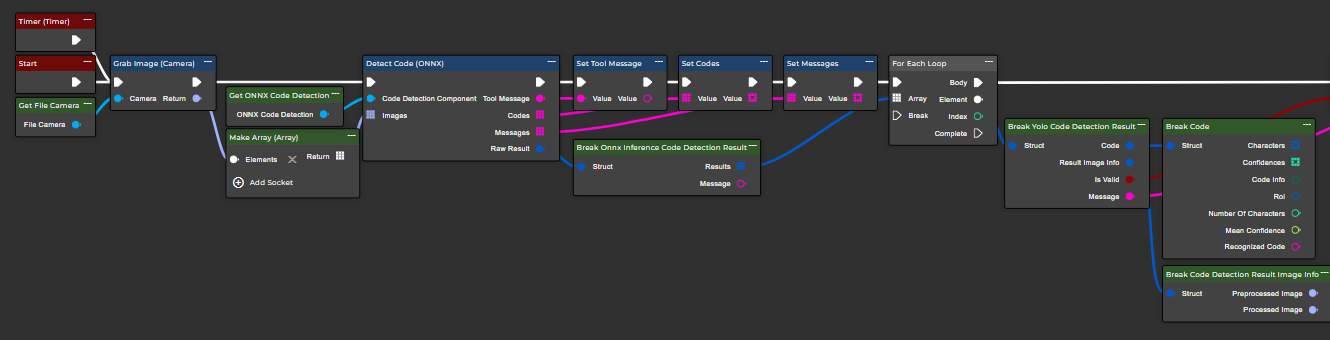
Parameter set
Attribute | Type | Description |
|---|---|---|
Code Detection Component | ONNX Code Detection | An "ONNX Code Detection" component is expected. This can be created in the component area. |
Images | Image <Array> | One or more images are expected. |
Tool Message | String | A message that describes the result of all evaluations. |
Codes | String <Array> | An array containing the recognized codes. |
Messages | String <Array> | An array of messages that describe the result of evaluating each input image. |
Raw Result | Onnx Inference Code Detection Result | A structure containing an array of structures that provide information about the codes found for each input image. |
Detect Objects (ONNX)
The "Detect Objects" (ONNX) node performs object detection using ONNX models. The model detects multiple objects in the image and returns both the class and the position (boundary frame). Correct configuration of preprocessing and non-maximum suppression (NMS) is crucial for consistent results.
Flow
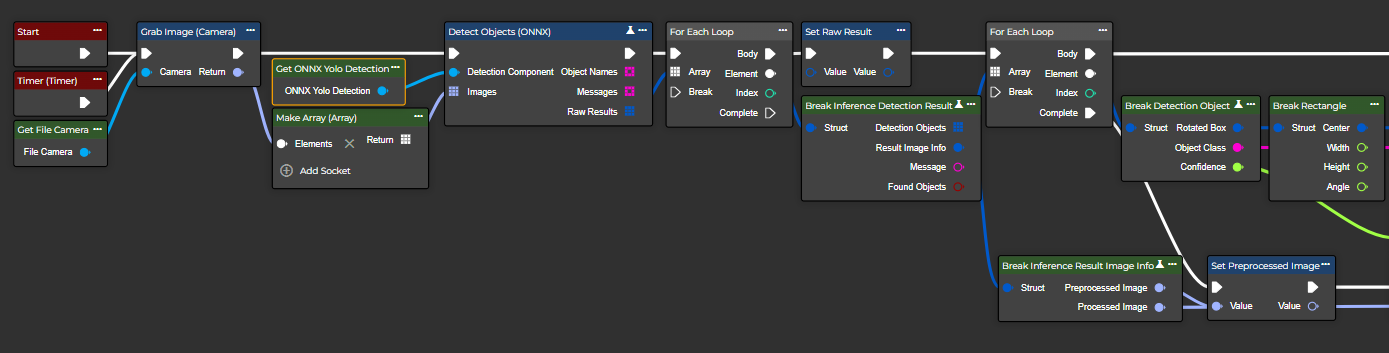
Parameter set
Attribute | Type | Description |
|---|---|---|
Detection Component | ONNX Yolo Detection | Requires the Get node of the ONNX Yolo Detection component. |
Images | Image <Array> | One or more images are expected. |
Object Names | String <Array> | Lists the names of the detected objects. |
Messages | String <Array> | An array of messages that describe the result of evaluating each input image. |
Raw Results | Inference Detection Result <Array> | In addition to an array of recognized objects, it also includes the pre- and post-processed image, information about how many objects were recognized, and whether any objects were found at all. |
Segment Instances (ONNX)
The “Segment Instances (ONNX)” node extends object recognition by calculating a pixel-accurate mask for each detected object. This determines not only the object's position but also its exact shape and area. Since these models are more complex, careful attention must be paid to correct model selection, preprocessing, and sufficient computing resources. Subsequent mask smoothing can be beneficial.
Flow
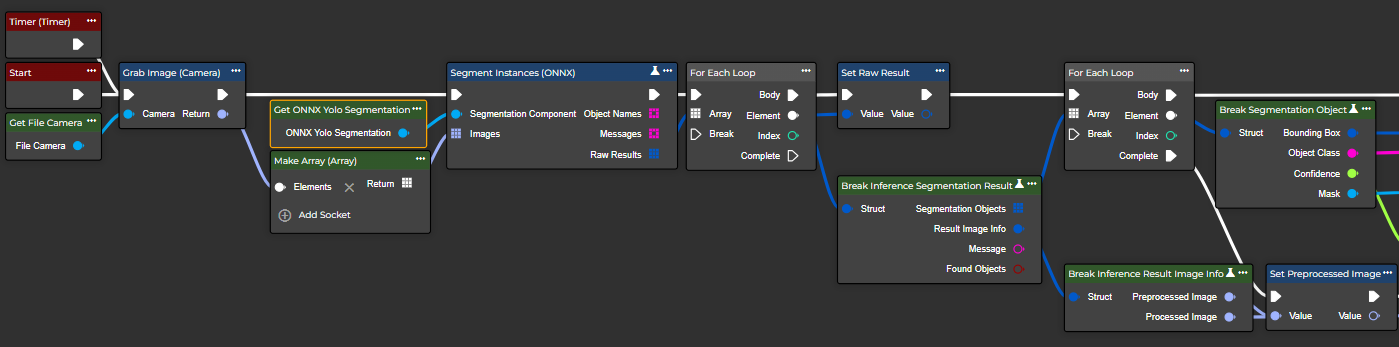
Parameter set
Attribute | Type | Description |
|---|---|---|
Segmentation Component | ONNX Yolo Segmentation | Requires the Get node of the ONNX Yolo Segmentation component. |
Images | Image <Array> | One or more images are expected. |
Object Names | String <Array> | Lists the names of the detected objects. |
Messages | String <Array> | An array of messages that describe the result of evaluating each input image. |
Raw Results | Inference Segmentation Result <Array> | Includes a list of segmentation objects as well as the pre- and post-processed image. Additionally, information is returned about how many objects were detected and whether any objects were found at all. |