
Edge Intersection
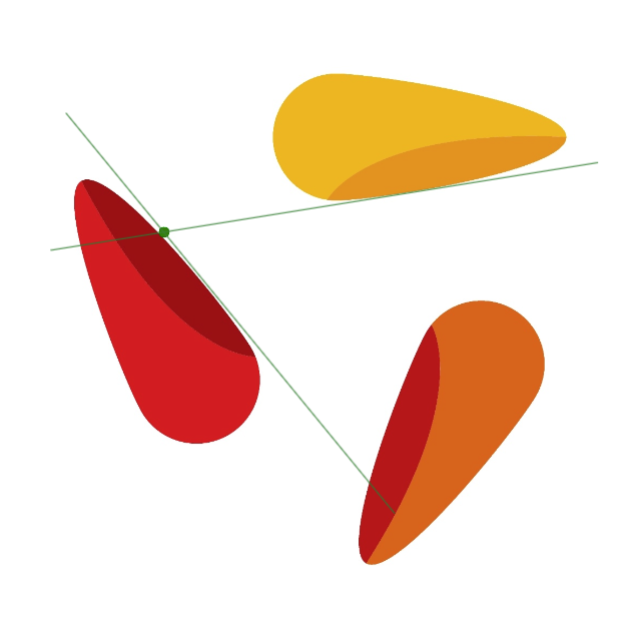
Determines the intersection point of two line segments within an image.
Flow

Parameter set
|
Parameter |
Type |
Description |
Example |
|---|---|---|---|
|
Image 1 |
Image |
A grayscale or color image is possible. |
|
|
Segment 1 |
Segment 2D |
The first segment. |
|
|
Segment 2 |
Segment 2D |
The second segment. |
|
|
Draw Result |
Boolean |
Draw the result in the image. |
|
|
Color |
Color |
Adjusts the color of the drawn line. Available colors: Beige, Black, Blue, Green, GreenYellow, Red, White, and Yellow. |
|
|
Line Type |
LineType |
Adjusts the calculation of the line type:
|
|
|
Thickness |
Int32 |
Adjusts the line thickness in pixels. |
|
|
Return |
Intersection |
A point representing the intersection of the two segments, provided they intersect within the image boundaries. |
|
|
Return |
Image |
Result image. |
|
Find Edges
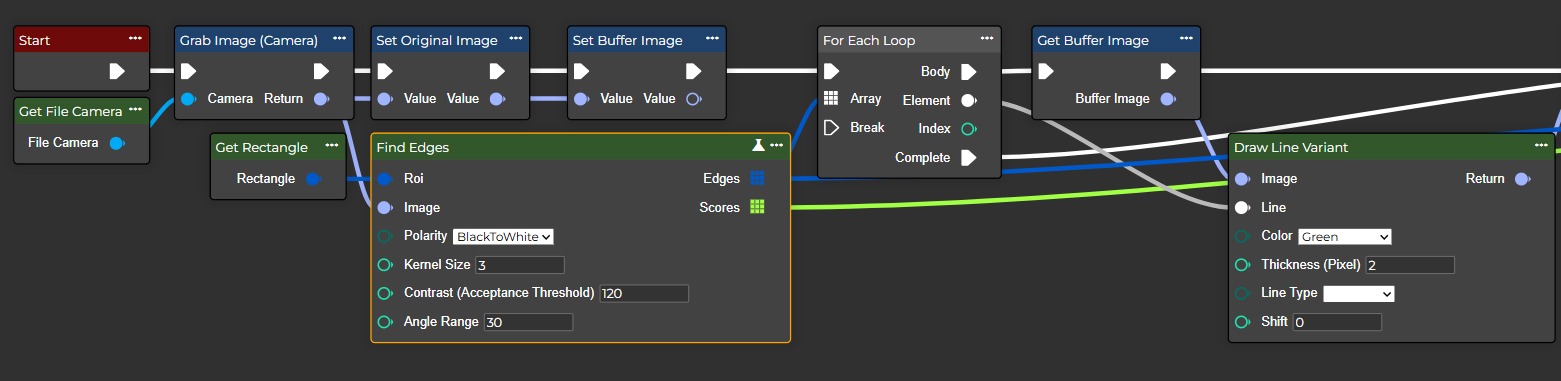
This is the process of edge detection in an image. Edges represent significant transitions in intensity or color and often correspond to object boundaries or features.
Flow
Parameter set
|
Parameter |
Type |
Description |
Value range |
|---|---|---|---|
|
Roi |
Rectangle |
For this input, an annotation (rectangle) can be added to the workflow, or the "Make Rectangle" node can be used for this purpose. |
|
|
Image |
Image |
A grayscale or color image is possible. |
|
|
Polarity |
EdgePolarity |
Refers to the distinction between positive and negative gradients, edges, or binary states in image processing. |
Possible values:
|
|
Kernel Size |
Int32 |
A higher value increases the kernel size for gradient calculations over larger areas. The size of the extended Sobel kernel must be 1, 3, 5, or 7. |
Possible values:
|
|
Contrast (Acceptance Threshold) |
Int32 |
Refers to the difference in intensity between light and dark areas in the image. |
Possible values:
|
|
Angle Range |
Int32 |
Refers to the angular range as used in various image processing tasks, e.g. edge detection. |
Possible values:
|
|
Edges |
Segment 2D <Array> |
Refers to a two-dimensional line segment in the geometric sense, i.e., a part of a straight line that is bounded by two endpoints in 2D space. |
|
|
Scores |
Single <Array> |
Refers to how strong or pronounced an edge is at a particular pixel. |
|
Find Circle
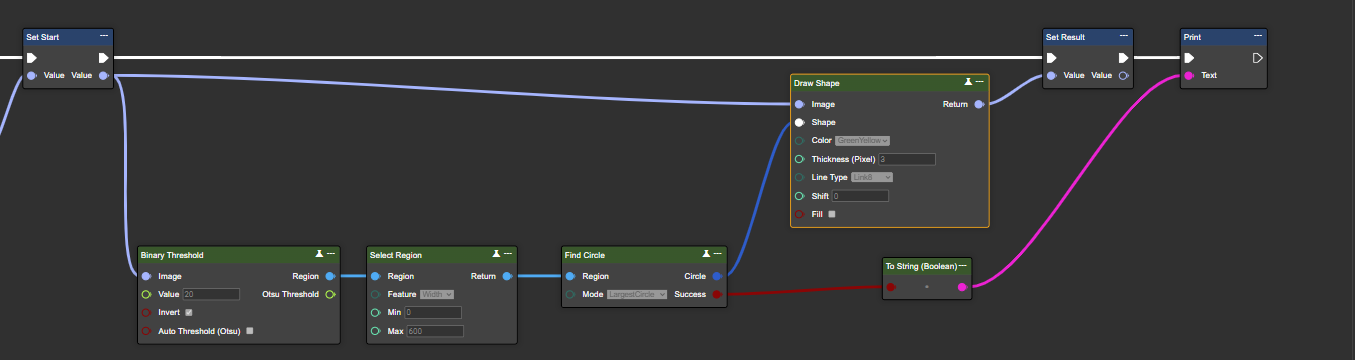
Detects a circle within a region. Smallest, Fitting, Mean, or Largest Circle can be selected.
Flow
Parameter set
|
Parameter |
Type |
Description |
|---|---|---|
|
Region |
8-Bit-Single channel image |
Nodes such as "Binary Threshold", "Adaptive Threshold", "Canny" or similar can be used to generate a binary image. |
|
Mode |
CircleSelectionMode |
Defines the selection method for the detected circle. Available options are FittingCircle, LargestCircle, SmallestCircle, and MeanCircle. |
|
Return |
Circle |
Refers to the circle found using center points and radius in 2D space. |
|
Return |
Boolean |
Indicates whether a circle was successfully found. |
|
Mode |
Description |
Example |
|---|---|---|
|
Largest Circle |
The largest circle that lies completely inside an object without intersecting its edge. |

|
|
Smallest Circle |
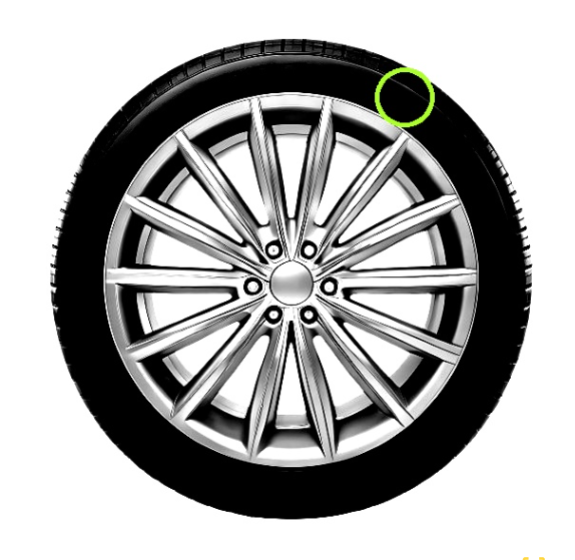
The smallest possible circle that completely encloses all points/contours. |
|
|
Fitting Circle |
A circle that best fits the shape statistically (similar to a regression curve). It uses boundary points and is not necessarily bounded inside or outside. |

|
|
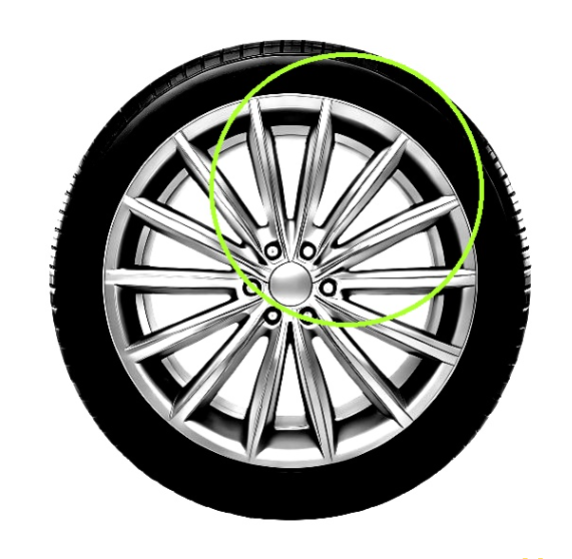
Mean Circle |
The radius is calculated as the average of several measured radii (e.g., many edge points → average distance to the center). This is useful for noisy or irregular shapes. |
|