
Every event graph and every flow requires a triggering event to be started and processed. The simplest example is a start event, which is automatically triggered when a workflow is initialized.
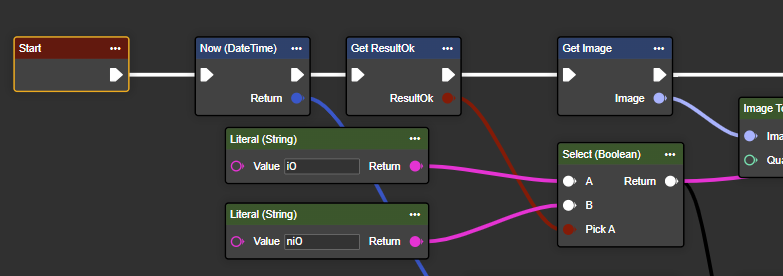
In practice, however, workflows are usually intended to react to specific events. VISIONWEB provides a variety of event types for this:
-
Start and basic events: Basic triggers, available directly in the context menu.
-
Timer and scheduler events: Start actions at specified times or intervals.
-
Hardware events: React to physical signals such as inputs or sensor values.
-
Protocol events: Activated by incoming messages or system changes and can carry data for further processing.
Several different events can be connected to a flow in parallel. For example, the same flow can be started via both a button event and a protocol event.
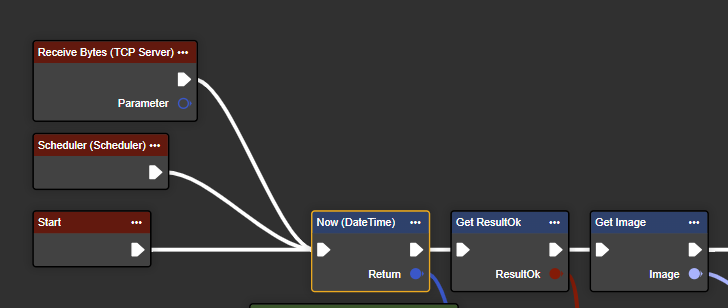
Processing & System Behavior
To ensure stable processing, events are processed sequentially; parallel execution is not possible due to the architecture. Incoming events are buffered in an event queue that can hold up to 10 events. Additional events are discarded.
In certain components, incoming events can be ignored until the current event graph is completely completed. This ensures stable, traceable, and reliable process execution.